Roaster’s guide to colour labels
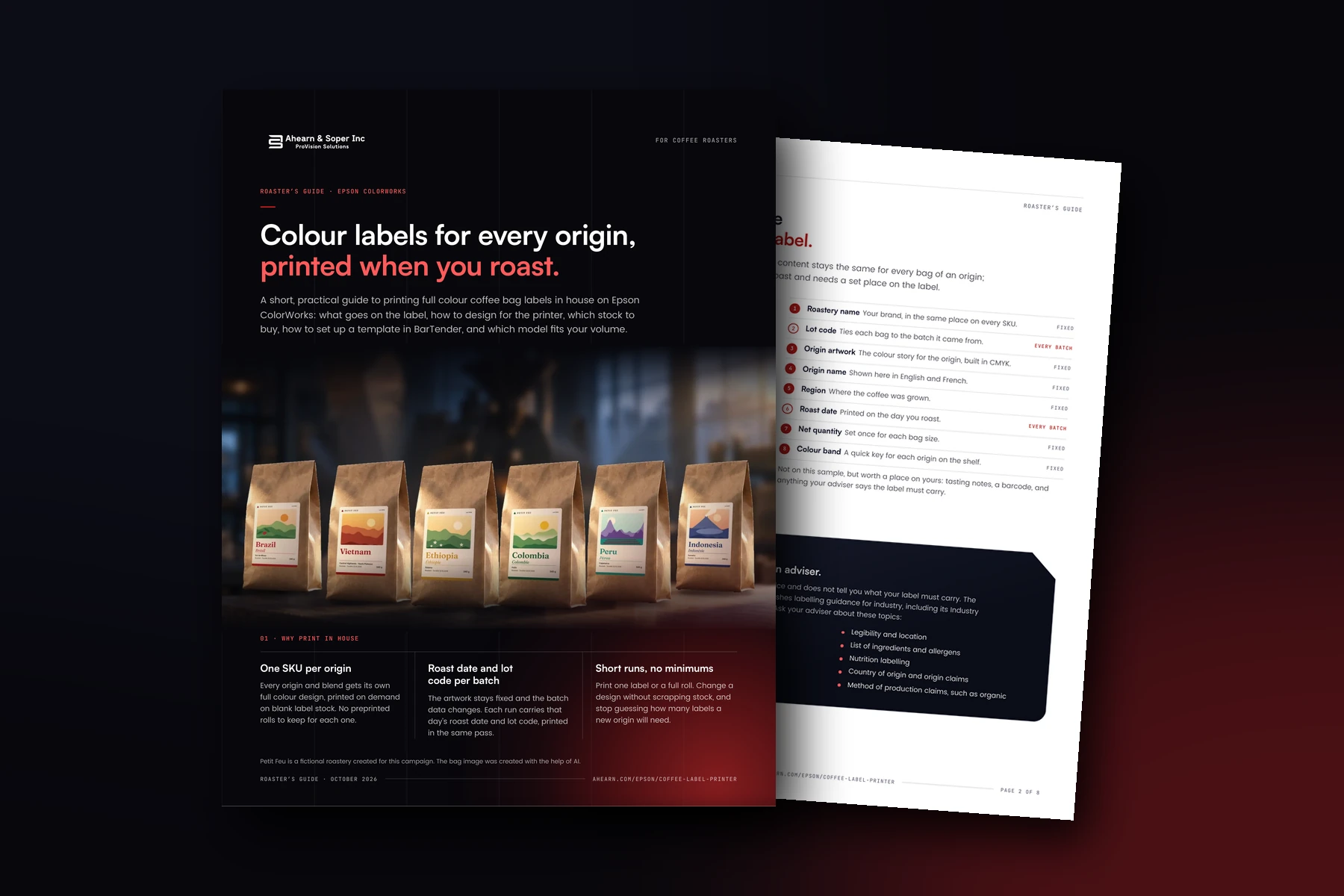
An 8 page guide to printing full colour coffee bag labels in house on Epson ColorWorks: what goes on the label, designing for four inks, stock, BarTender and which model fits.
Get the document
Tell us who you are and we will email you the download link straight away.
The link is on its way to your inbox
We have emailed the download link to the address you gave. It usually arrives within a minute. If you cannot see it, check your junk folder.
Inside this guide
- Why print in house. One SKU per origin, a roast date and lot code on every batch, and short runs with no minimums.
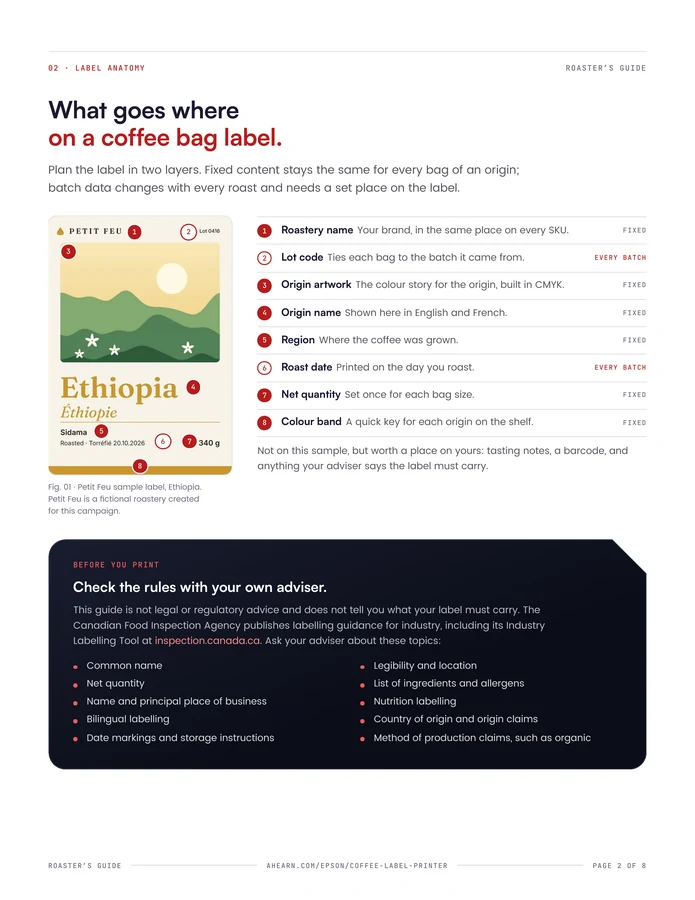
- Label anatomy. What goes where on a coffee bag label, and the topics to check with your own adviser.
- Designing for ColorWorks. Four pigment inks, no white ink, and artwork built to the real print width.
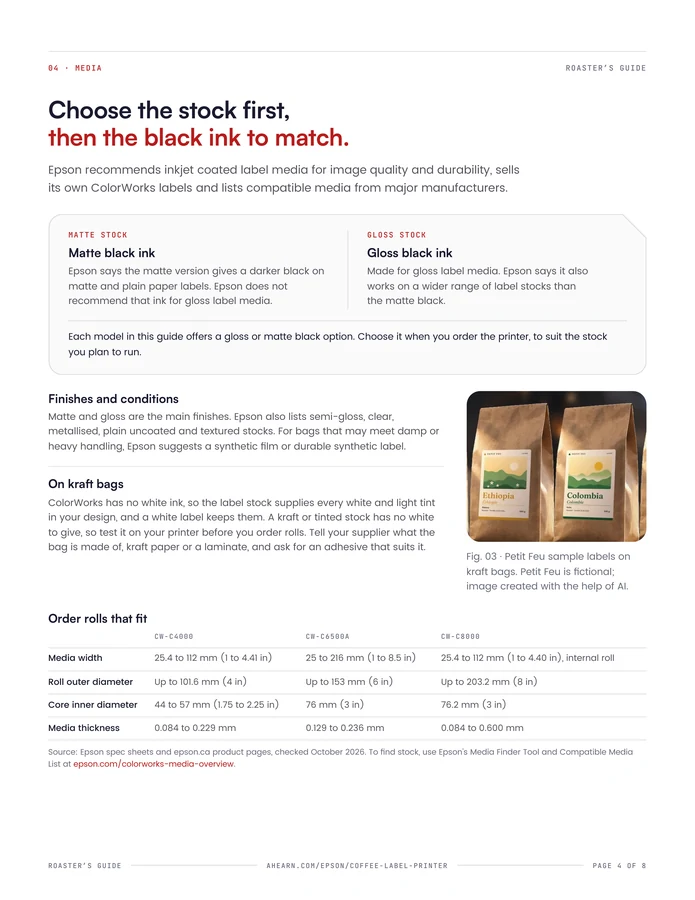
- Media. Choose the stock first, then the black ink to match, and order rolls that fit.
- Workflow. One data-driven BarTender template that fills in the roast date and lot code at print.
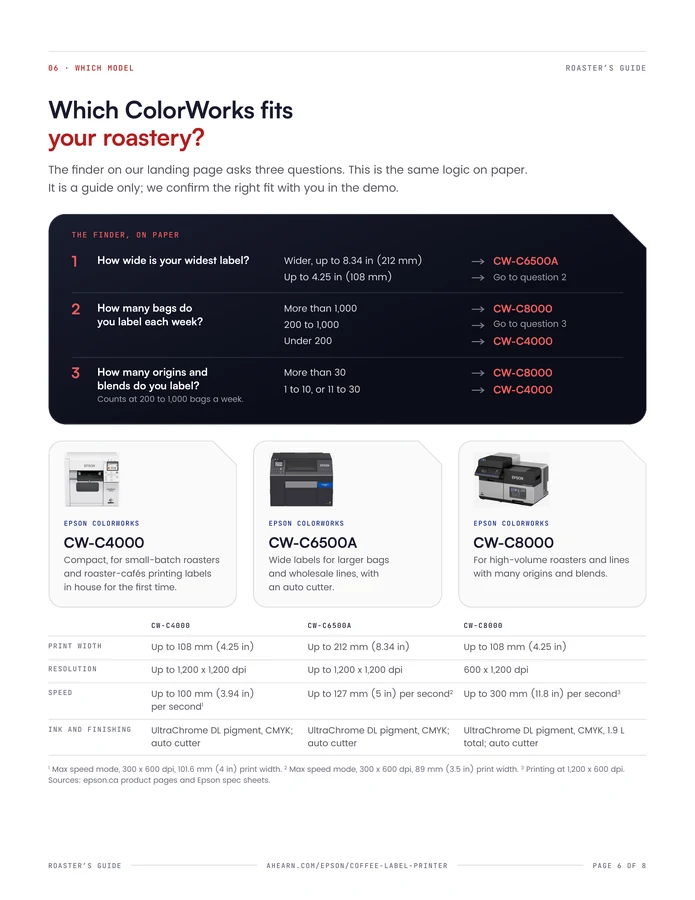
- Which model. The finder’s three questions on paper, with the CW-C4000, CW-C6500A and CW-C8000 side by side.
- Launch checklist. Everything to tick off before the first bag ships, and again whenever you add an origin.
A few pages from the guide
Who it is for
Coffee roasters, from small-batch roasters and roaster-cafés printing labels in house for the first time to high-volume roasters with many origins and blends.
Good to know
This guide is general information, not legal or regulatory advice. Specifications are from Epson’s published data, checked in October 2026. A French edition is also available.
Put this to work in your warehouse
Tell us what your operation has to do, and we will tell you plainly whether we can help.